
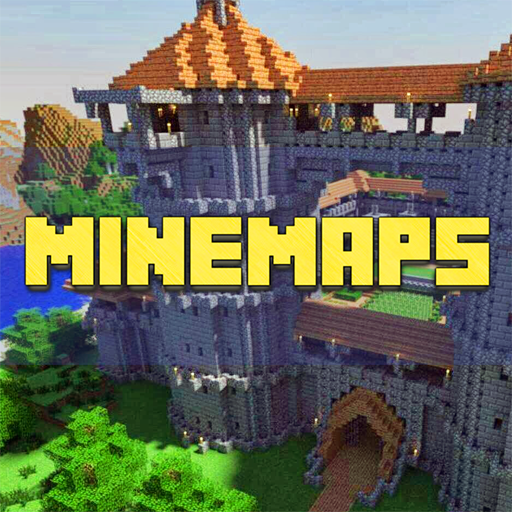



Introduction to Maps for Minecraft PE
Minecraft Pocket Edition (PE) has transformed the way we play Minecraft, offering a mobile-friendly version that lets users craft, explore, and survive on the go. One of the game’s most exciting features is its robust map system. Custom maps in Minecraft PE extend the gameplay beyond the original parameters set by the game, providing fresh adventures and challenges. Whether you’re diving into an intricately designed puzzle map or exploring a vast survival map, these custom creations can significantly enhance your Minecraft experience.
Types of Maps Available for Minecraft PE
There are several types of custom maps available for Minecraft PE, each catering to different styles of play:
- Survival Maps: These maps challenge players to survive with limited resources and often feature challenging environments.
- Adventure Maps: Focused on storytelling and exploration, these maps may include custom objectives and are less about building.
- Puzzle Maps: These require players to solve puzzles to progress, often incorporating complex redstone contraptions.
- Parkour Maps: These are designed to test players’ jumping skills through challenging courses.
- Creative Maps: These maps are designed to showcase incredible architectural feats and creative builds without the limitations of survival mode.
Top 5 Minecraft PE Maps You Must Try
Exploring user-generated content can be a highlight of playing Minecraft PE. Here are five maps that stand out due to their creativity, challenges, and enjoyment factor:
- SkyBlock PE: A classic survival map where you start on a small island in the sky with minimal resources.
- The Mystery of Gliston: A thrilling adventure map with a compelling storyline and intriguing puzzles.
- Temple Run: A parkour map inspired by the popular mobile game, challenging players with a treacherous obstacle course.
- World of Worlds: A creative map showcasing replicas of famous buildings from around the world.
- The Escape: A puzzle map where players need to escape from a series of rooms by solving mind-bending puzzles.
Tips for Navigating Custom Maps in Minecraft PE
Navigating through custom maps can be tricky, especially for those new to Minecraft PE or the map genre. Here are some tips to help you make the most out of your map adventures:
- Read the Map’s Instructions: Most map creators include specific rules or guidelines. Following them can enhance your experience and prevent confusion.
- Use Map Features Wisely: Custom maps often utilize unique features or mechanics. Understanding and using these can be crucial to your progress.
- Keep Essentials Handy: Depending on the map, you might need certain tools or items. Always have a small stash of essential items to help you navigate or solve puzzles.
- Save Frequently: Unexpected challenges can lead to sudden deaths or setbacks. Regularly saving your game can prevent a loss of progress.
- Explore Thoroughly: Take your time to explore each area thoroughly. You might find hidden items, clues, or areas integral to your advancement.
Common Issues and Solutions When Using Maps in Minecraft PE
Using custom maps can sometimes lead to issues ranging from technical problems to gameplay puzzles. Here are common issues and their possible solutions:
- Installation Problems: Ensure you are downloading maps from reputable sources and follow the installation instructions carefully. If the map doesn’t appear, double-check the version compatibility.
- Crashes and Bugs: Keep your Minecraft PE updated to minimize bugs. If crashes persist, try reinstalling the map or consult community forums for specific solutions.
- Navigational Challenges: If you’re stuck, consider looking up walkthroughs or tips online. Many map creators provide hints or guides for their maps.
- Redstone Malfunctions: Some maps with complex mechanisms can break in newer game versions. Playing the map in the version it was created for can often resolve these issues.
Conclusion
Minecraft PE maps offer a unique and enriching way to engage with the world of Minecraft. They push the boundaries of the game’s traditional mechanics and introduce players to new challenges and experiences. Whether you’re a seasoned miner or a new adventurer, there’s a map out there that will capture your imagination and test your skills. Remember, the key to enjoying these maps lies in patience, preparedness, and a keen sense of exploration. So, download a map and start your new Minecraft adventure today!










